Designing a Configuration Hub for Search
By Arnau Sala SolerPublished / 4 min readPart 2 of Modular Search Automation
In the first post in this series (A Modular Approach to Automation), we looked at how to build a search optimization engine out of modular building blocks that snap together—keeping math in deterministic jobs, judgment in AI agents, and approval in human hands.
Once you start connecting those blocks, an early temptation shows up fast: typing competitor domains directly into an API query, hardcoding a click threshold inside a workflow node, or listing target markets inside a script.
That works fine for a single workflow. It gets messy the moment you add a second, third, or fifth block that needs to agree on what counts as a real signal or a priority page.
In a modular setup, every block should read from the same shared rulebook before doing its work. That shared starting point is the Configuration Hub.

Why Hardcoded Rules Slowly Break Modular Systems
When your rules live inside individual workflows, prompts, or spreadsheets, things start drifting apart:
- Different definitions of "important": One workflow treats a small dip as a problem while another ignores it, so two blocks look at the same site and draw different conclusions.
- Editing five places for one update: Adding a new competitor, expanding to another market, or changing what counts as a priority page means hunting down every workflow that needs that detail.
- No memory of past rules: If you overwrite a number or list inside a workflow, you lose track of what the system was actually checking last month when a recommendation was made.
What Belongs in the Configuration Hub?
You do not need a complicated system to start. A clean spreadsheet, a simple database table, or a structured config file works well—as long as it is the place people update and the blocks read from.
In practice, it holds five kinds of information:
- Scope and boundaries: Which domains, sections, markets, and channels are in scope—and which ones are intentionally left out.
- Competitor groupings: Which domains are direct competitors versus partners, review sites, or social platforms, so different movements aren't lumped into one bucket.
- Page priorities and strategic focus: Which pages or topics matter most to the business, so low-stakes pages don't get treated like core revenue drivers.
- Thresholds and guardrails: The basic numbers and rules that keep noise down—such as minimum volume floors, how long to wait after an edit before judging results, or when not to touch a page.
- A log of live changes: A record of what changed, when it went live, and what it covered, so pipelines and strategists can tie performance shifts back to real actions.
One Rulebook, Many Blocks
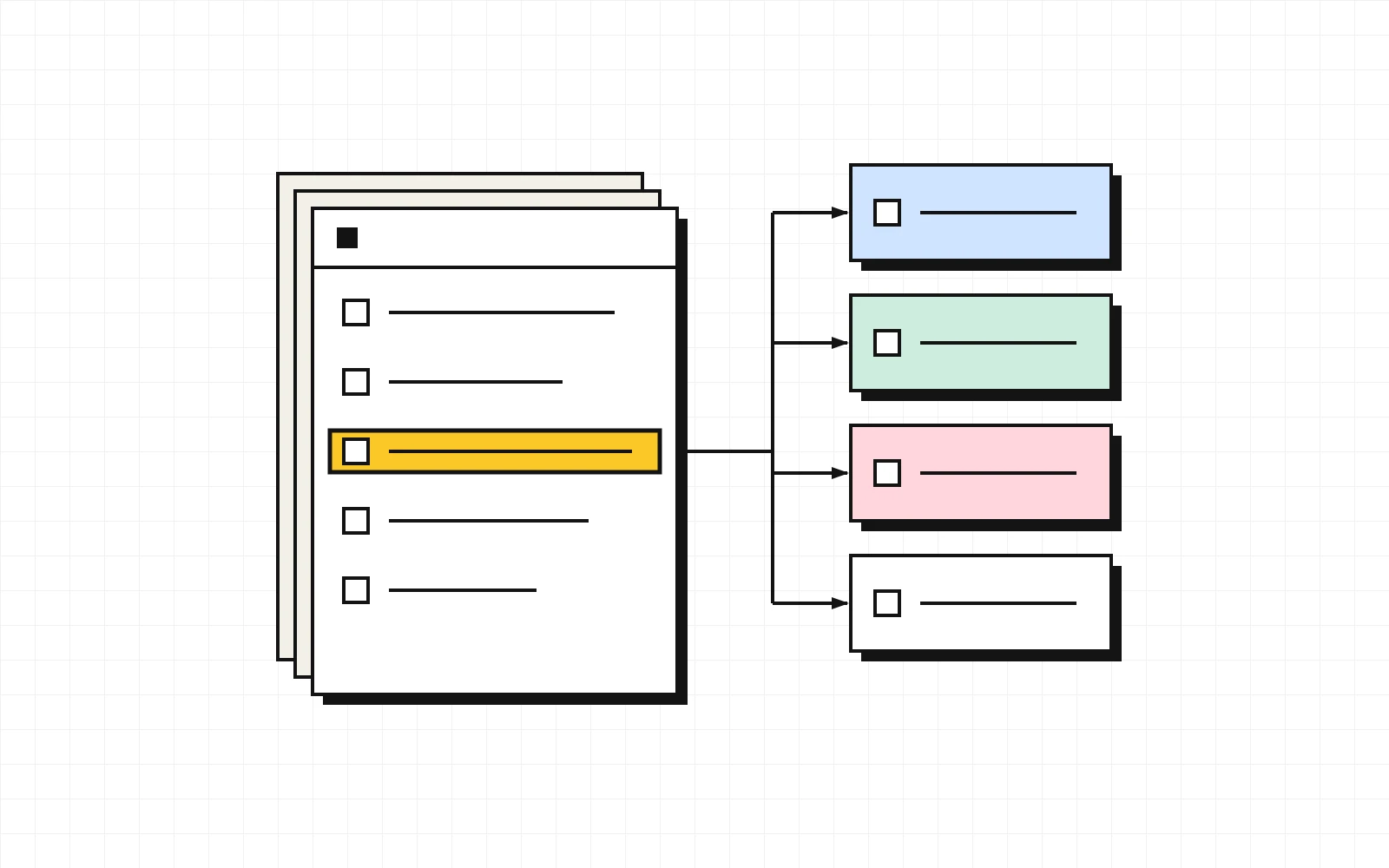
The Configuration Hub holds shared rules and context in one place so every pipeline and strategist reads the same truth instead of hardcoding its own assumptions.
Shared source of truth
Configuration Hub
Markets, competitors, page tiers, thresholds & change log.
Updated once by people; read by every connected block.
No hardcoded lists or thresholds inside workflows
Data Pipelines
Reads scope, markets & thresholds
Pulls data, runs math & flags gaps without hardcoded rules.
Prioritization & Routing
Reads tiers, weights & guardrails
Ranks opportunities by value and checks eligibility rules.
AI Strategists
Reads context & competitor groups
Diagnoses causes and drafts actions from verified facts.
Changes logged back to the hub for outcome tracking
Change Log & Outcomes
Records what changed, when & why
Feeds pipelines and strategists so future runs know what shipped.
How to Start Yours Today (With a Ready-to-Use Template)
You do not need a data warehouse or fifty custom settings to set up your Configuration Hub. If you already use tools like Google Search Console, Ahrefs, or Semrush, you have everything you need to start defining your rules in one shared place.
To make this practical, I put together a starter Configuration Hub Google Sheet Template designed around the standard data and exports those tools already give you.
What Is Inside the Starter Sheet
Make a copy of the template and fill out just four simple tabs to get started:
- Scope & Markets: Define your main website domains, any subdomains or folders you want to include or ignore, and the countries or markets you care about.
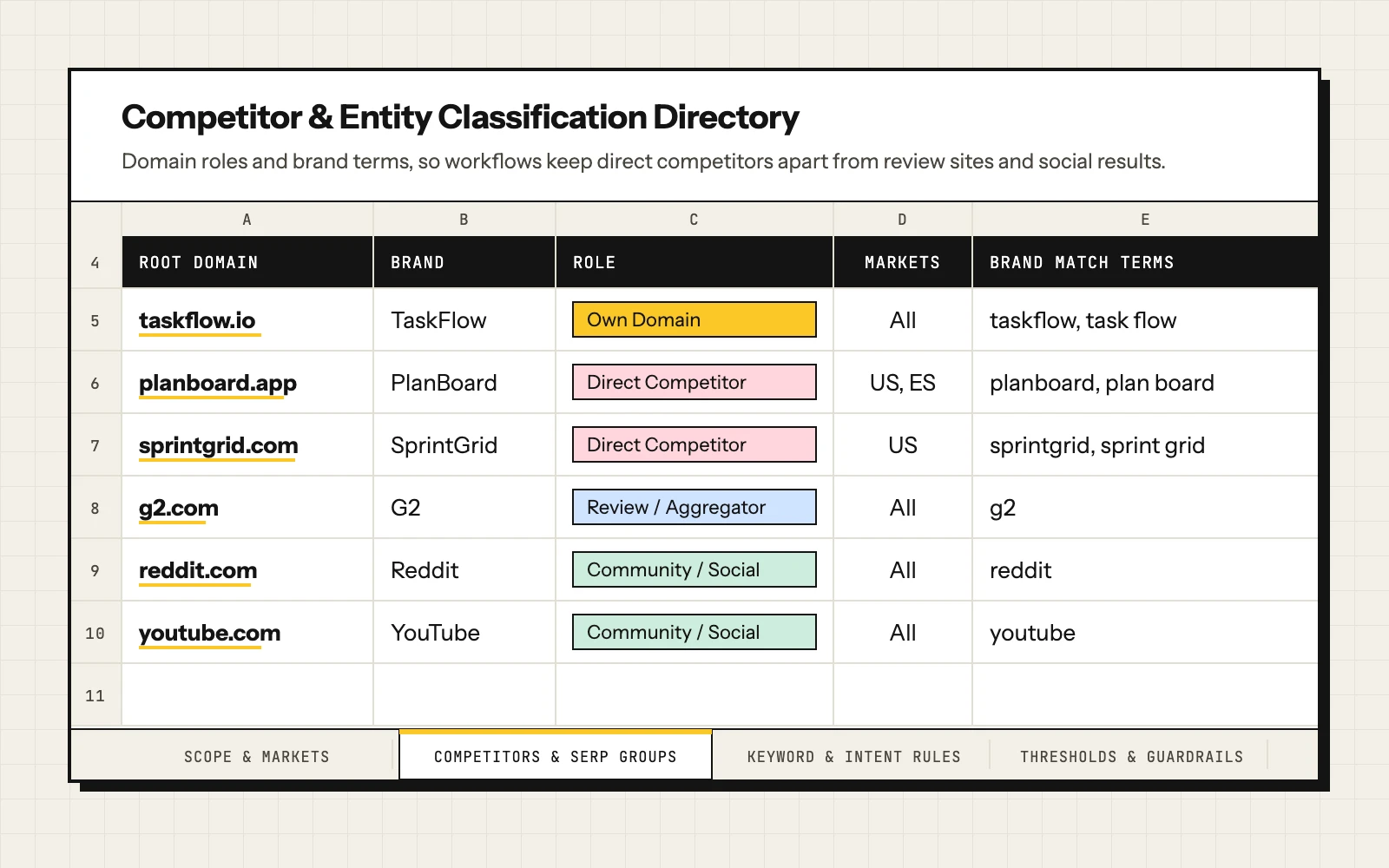
- Competitors & SERP Groups: List the domains that show up in your rank tracking or keyword gap exports and label their role—such as Direct Competitor, Review / Aggregator (like G2 or Capterra), or Community / Social (like Reddit or YouTube). That way, later workflows do not treat a YouTube video the same way they treat a direct rival.
- Keyword & Intent Rules: Define what makes a keyword important to your business. You can map common search modifiers (like "vs", "pricing", "template", or "how to") to clear intent and funnel stages, list your own brand terms, and store your core tracked keywords alongside their Search Volume and Keyword Difficulty.
- Thresholds & Guardrails: Set your starting assumptions in plain sight—such as the minimum monthly search volume or Search Console impressions needed before a keyword is worth acting on, how many positions a page has to drop before it counts as a real signal, and how many weeks to wait after updating a page before judging the results.
One Habit to Make It Stick
Once your copy is filled out, adopt one rule for every automation or AI workflow you build next: read the rules from the sheet; never hardcode lists or thresholds inside the workflow.